Said
“Na-approve na ba yung leave request ko for next week?”
Typed — unedited
Na-approve na ba yung leave request ko for next week?
exact — hyphen and question mark included
100% on-device · nothing uploaded, ever
Press a key, talk, and clean text lands in any app — English, Tagalog, or Taglish mid-sentence. Everything is transcribed on your Mac: no cloud, no account, no telemetry.
Apple Silicon · macOS 14+
Say the sentence the way you'd actually say it — half English, half Tagalog — and this is what lands. Three real dictations, shown unedited, misses included.
“Na-approve na ba yung leave request ko for next week?”
Na-approve na ba yung leave request ko for next week?
exact — hyphen and question mark included
“Pwede mo ba i-double check yung invoice? Baka may mali sa total.”
Pwede mo ba i-double check yung invoice? Baka may mali sa total.
exact — “i-double check” intact
“Send mo na lang sa akin yung report bago mag-lunch, please.”
Send mo na lang sa akin yung report bago mag-launch please.
one slip — “mag-lunch” came out “mag-launch” (comma dropped too)
Real, unedited results from the developer's own testing — one voice, one mic, his own Mac. Not a benchmark. Transcribed fully on-device, so his voice never left his Mac; neither will yours.
“Bulong” is Tagalog for whisper. It's built by a Filipino developer who code-switches all day — Taglish was never an afterthought.
Transcription runs on-device with NVIDIA Parakeet and Whisper.
No sign-up, no email, no license server.
The app makes exactly one kind of network request: downloading a speech model, once.
After the one-time model download, turn off your Wi-Fi and dictate — it still works. That's the whole point.
See exactly what's handled →⌃⌥Space out of the box — remap it to anything.
Hold to talk, or toggle — in English, Tagalog, or both in one sentence.
Bulong types the result into whatever app is focused.
The whole app is a menu-bar icon, a dictation bar, and a window for your history.
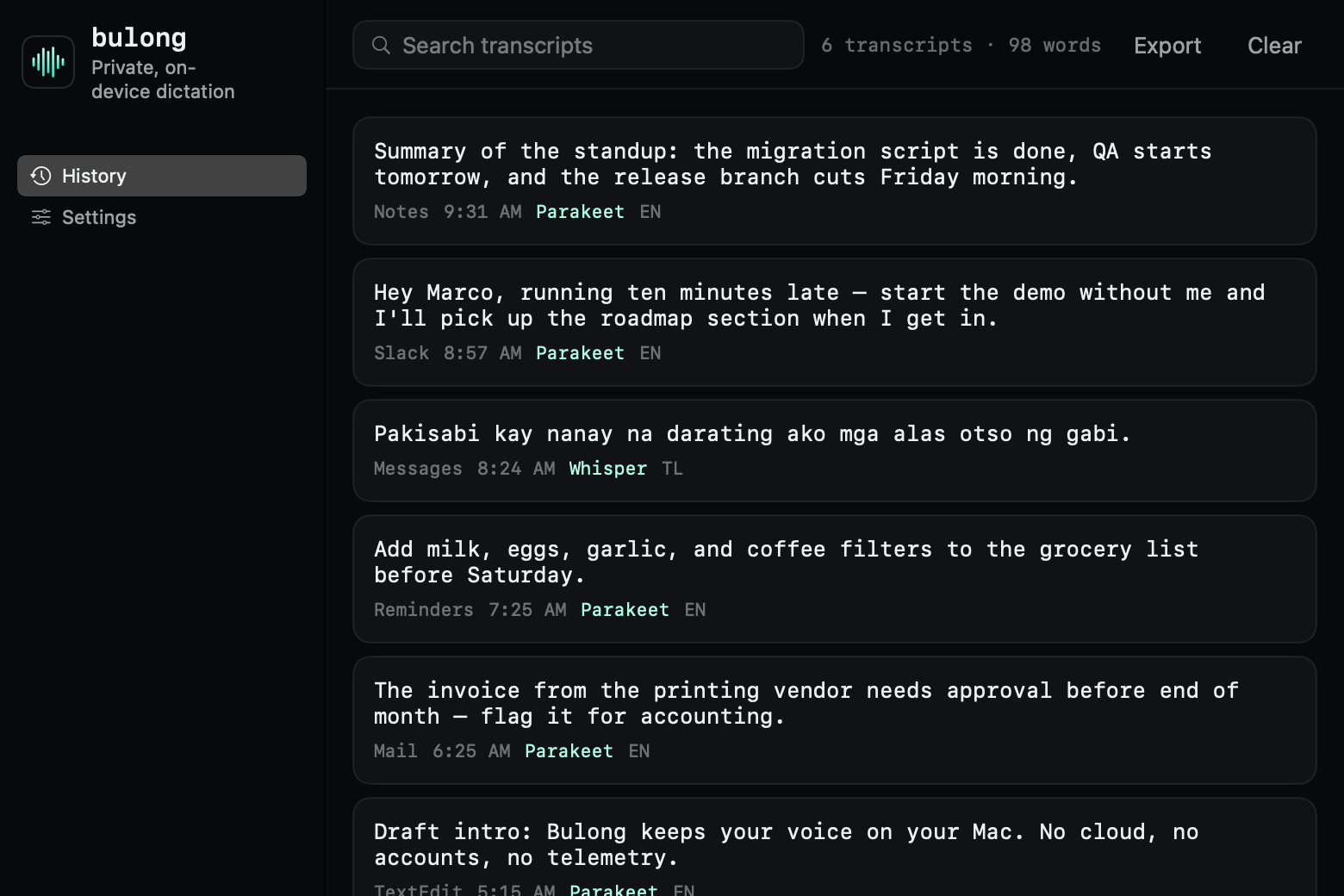
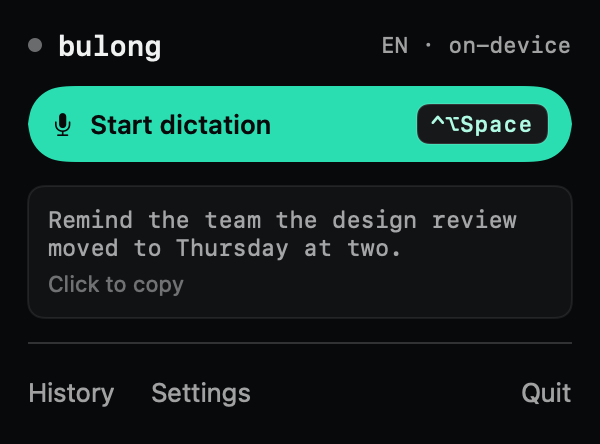
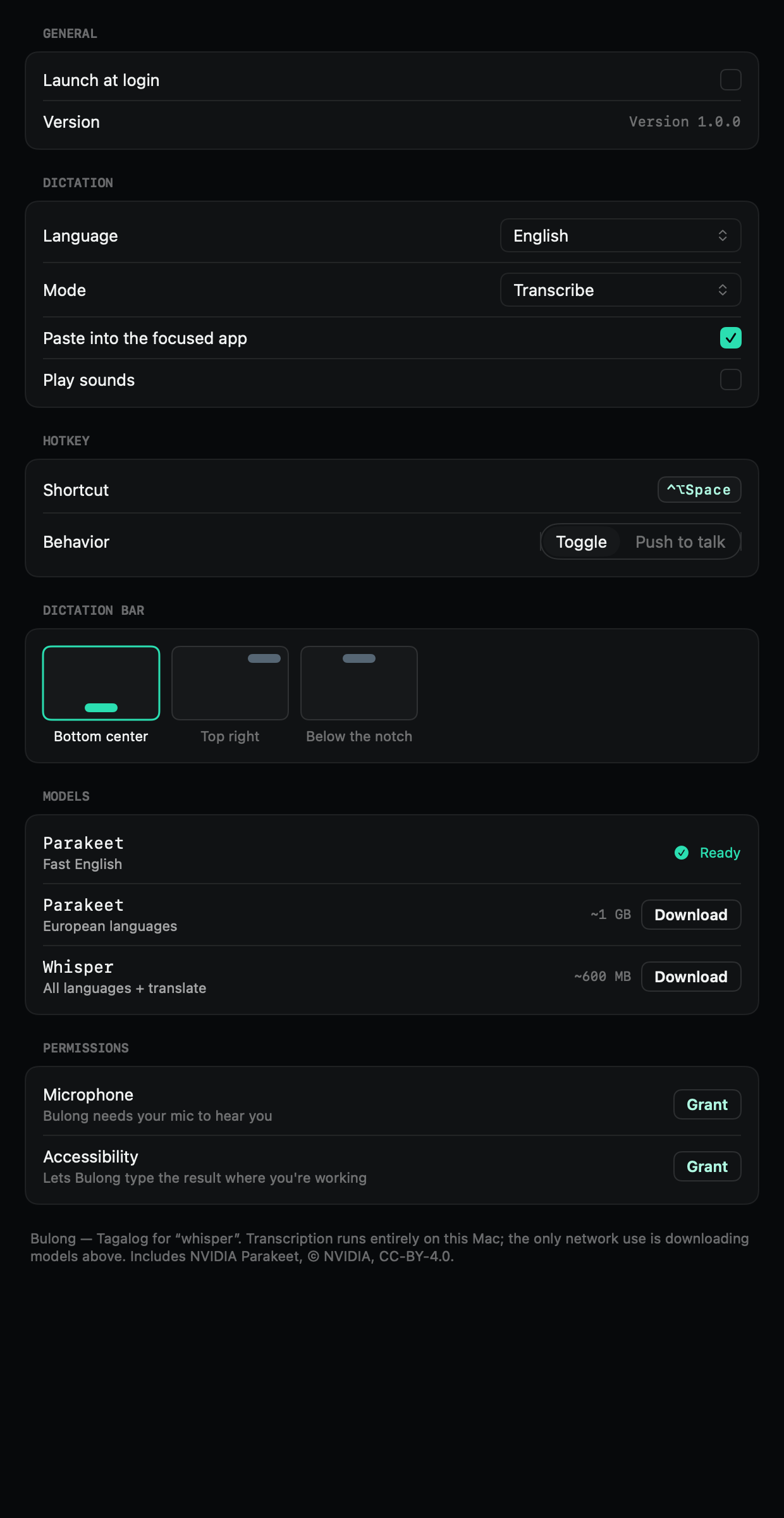
Two speech models run locally. Nothing is sent to a server.
Any text field — Slack, Mail, your editor, a browser.
Hold the key while you speak, or tap to start and stop.
⌃⌥Space by default. Remap it to whatever fits your hands.
Every transcript saved to a plaintext file you can search and export.
Dictate in 10 languages — Filipino included, code-switching and all.
Speak another language and get English text, via Whisper.
Bulong pastes without clobbering what you already copied.
| Bulong | Typical cloud dictation app | Apple's built-in | |
|---|---|---|---|
| Where your audio goes | This Mac | Their servers | This Mac |
| Price | One-time | Monthly | Free |
| Account required | No | Yes | No |
| Works offline | Yes | No | Yes |
| Filipino (Tagalog) & Taglish | Yes, on-device | Varies | Varies |
| Remappable hotkey & push-to-talk | Yes | Varies | No |
| History you can read and export | Plaintext file | Their database | None |
Apple has announced improved macOS dictation — launching English-only.
Launching soon
$29once
No account. No recurring charge. One email when it ships — nothing else.
Yes. Once the speech model has downloaded, Bulong needs no network at all. Turn off your Wi-Fi and it still transcribes.
Good enough to publish the raw results. In the developer's own testing — one voice, one mic, real work sentences — heavy code-switching came out at roughly 95% word accuracy, misses included. The unedited dictations are further up this page. Set the language to Filipino, speak the way you actually speak, and expect a sentence to land in about 6–8 seconds once the model is loaded — the first dictation after launch takes longer while the model warms up.
Any Apple Silicon Mac (M1 or later) running macOS 14 or newer.
No. The speech models download inside the app the first time you use them — no command line, no extra packages.
The app itself is small. The English model is about 600 MB, downloaded once and kept on your Mac.
Any app with a text field. Bulong types the result into whatever window is focused.
Free updates throughout the 1.x series are included in the price.
It's Tagalog for “whisper.” Bulong is built by a Filipino developer who dictates in Taglish every day — the name and the language support come from the same place.
Apple Silicon · macOS 14+ · launching soon